
Automation platforms such as n8n, Zapier-style workflow builders, and custom webhook pipelines are now part of everyday business operations. They move leads into CRMs, send alerts, enrich spreadsheets, connect support tools, and trigger follow-up emails without manual work. That speed is useful, but it also creates a new security question: what happens when attackers abuse the same automation patterns to launch phishing campaigns?
Recent security reporting has highlighted how webhook abuse and automation workflows can help phishing scale quickly. The issue is not that n8n or any single tool is “bad.” The lesson is that any low-code automation platform can become risky when webhooks are public, secrets are weak, workflows are over-permissioned, or outbound messages are not monitored. For Muawia Tech readers, the practical focus is clear: treat automation workflows like production software, not like harmless shortcuts.
This guide explains how phishing via automation tools works, why n8n webhook security matters, and what business owners, IT teams, and workflow builders should do before connecting automation to email, messaging, CRM, payment, or customer-data systems.
Why Automation Tools Are Attractive to Phishing Attackers
Phishing used to depend heavily on attacker-controlled email servers, compromised inboxes, and mass mailing infrastructure. Those methods still exist, but automation tools add a tempting layer of convenience. A workflow can receive a trigger, transform data, personalize a message, call an external API, and send a response across multiple channels. That is exactly what legitimate teams want—and exactly why criminals look for misconfigured workflows.
Attackers are interested in automation because it offers repeatability. If a malicious actor finds a public webhook with weak validation, they may be able to trigger a chain of actions over and over. If a stolen credential gives access to a workflow builder, the attacker can modify logic, add a data-exfiltration step, or quietly change message templates. If an automation account has permission to send emails or post to collaboration tools, phishing can appear to come from systems people already trust.
The bigger trend is that business technology is becoming more connected. A single workflow may touch forms, databases, AI summarizers, file storage, payment alerts, chat apps, and email delivery. That connectivity creates value, but it also means a small automation mistake can have a wide blast radius.
How n8n Webhook Abuse Can Turn Into a Phishing Workflow
Webhooks are designed to receive events from other systems. For example, a form submission might trigger a workflow that sends a confirmation email. In a secure design, the webhook validates the sender, checks a secret, limits request size, logs the event, and only performs actions that are necessary. In an insecure design, the webhook may accept requests from anyone on the internet and pass untrusted data directly into an email or message.
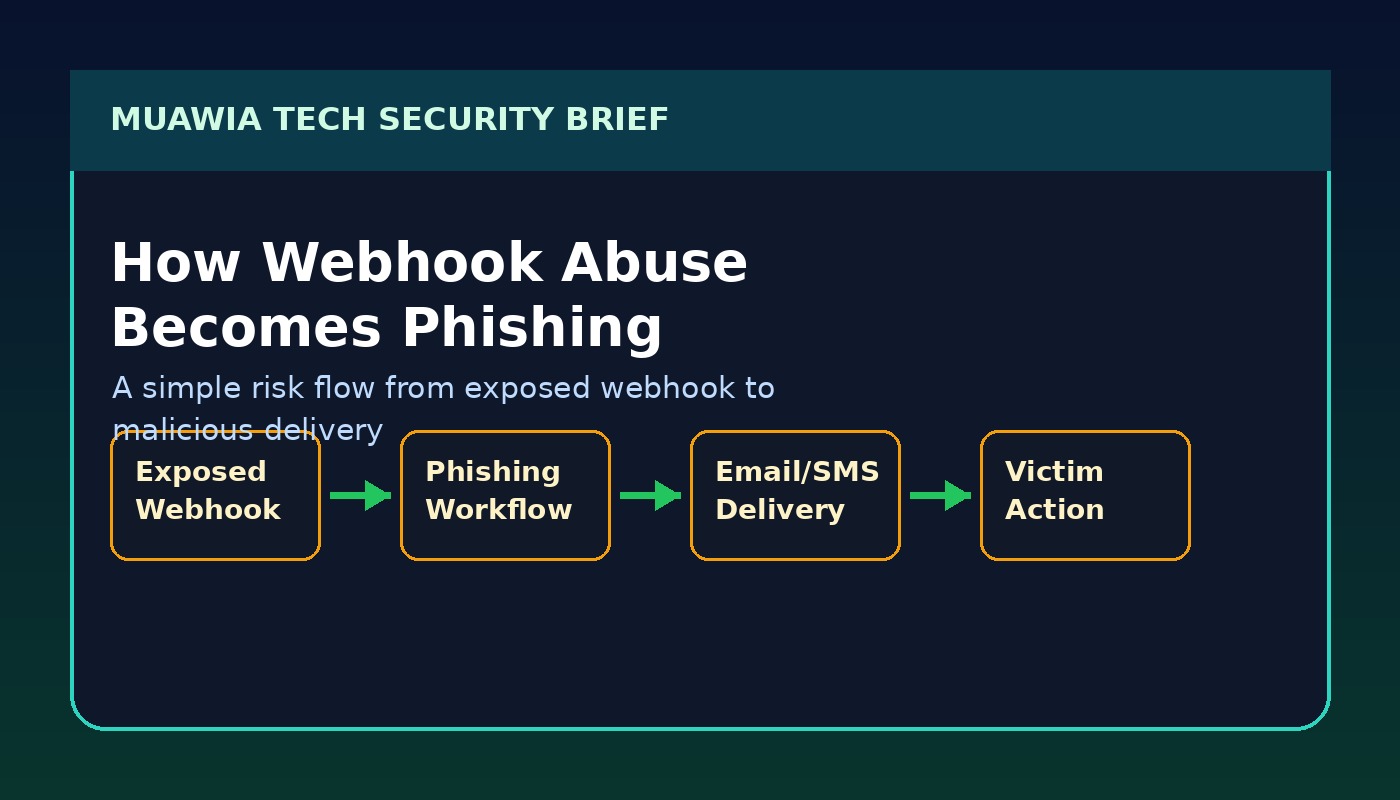
A typical abuse path may look like this: an attacker discovers an exposed webhook URL, sends crafted data to it, causes a workflow to generate a convincing message, and uses the connected email or chat integration to deliver the lure. Even if the workflow does not send email directly, it may create tickets, notifications, documents, or CRM notes that trick staff into clicking a link or sharing information.
Another risk is workflow modification. If an automation account is protected only by a weak password or lacks multi-factor authentication, an attacker who gains access can add hidden steps. Those steps might forward form submissions to an external server, replace legitimate links with phishing links, or copy API responses into a private channel. Because workflow builders are visual and easy to edit, small malicious changes can be hard to notice during a busy workday.
The Business Impact: More Than Just Email Spam
Phishing through automation tools is dangerous because it can borrow trust from legitimate business systems. A message triggered by a real workflow may use the company’s templates, sender identity, timing, and customer context. That makes it more believable than a random spam email. It also makes investigation harder, because the activity may be mixed with normal workflow logs.
For small businesses, the damage can include stolen customer data, fraudulent invoices, compromised cloud accounts, reputational harm, and expensive downtime. For larger organizations, abused workflows can become a path into supply-chain attacks. If partners, vendors, or customers receive malicious messages from a trusted automation process, the incident spreads beyond the original system.
There is also a compliance angle. Workflows often handle personal information: names, emails, phone numbers, support tickets, order details, and internal notes. If those workflows leak data or send it to an attacker-controlled endpoint, the business may need to notify customers, regulators, or partners depending on local laws and contracts.
Warning Signs of Automation-Based Phishing
Security teams and business owners should watch for changes in workflow behavior. A sudden increase in webhook triggers, unusual request sources, unexpected email volume, new workflow steps, or unfamiliar integrations may indicate abuse. Failed authentication attempts against automation dashboards are another warning sign, especially if they come from countries or networks that do not match normal users.
End users may notice symptoms too. Examples include internal notifications with odd wording, support tickets containing suspicious links, confirmation emails sent at strange times, or chat messages that ask for credentials, payment changes, or urgent file downloads. The safest culture is one where employees can report suspicious automated messages without fear of blame.
Practical n8n Webhook Security Controls
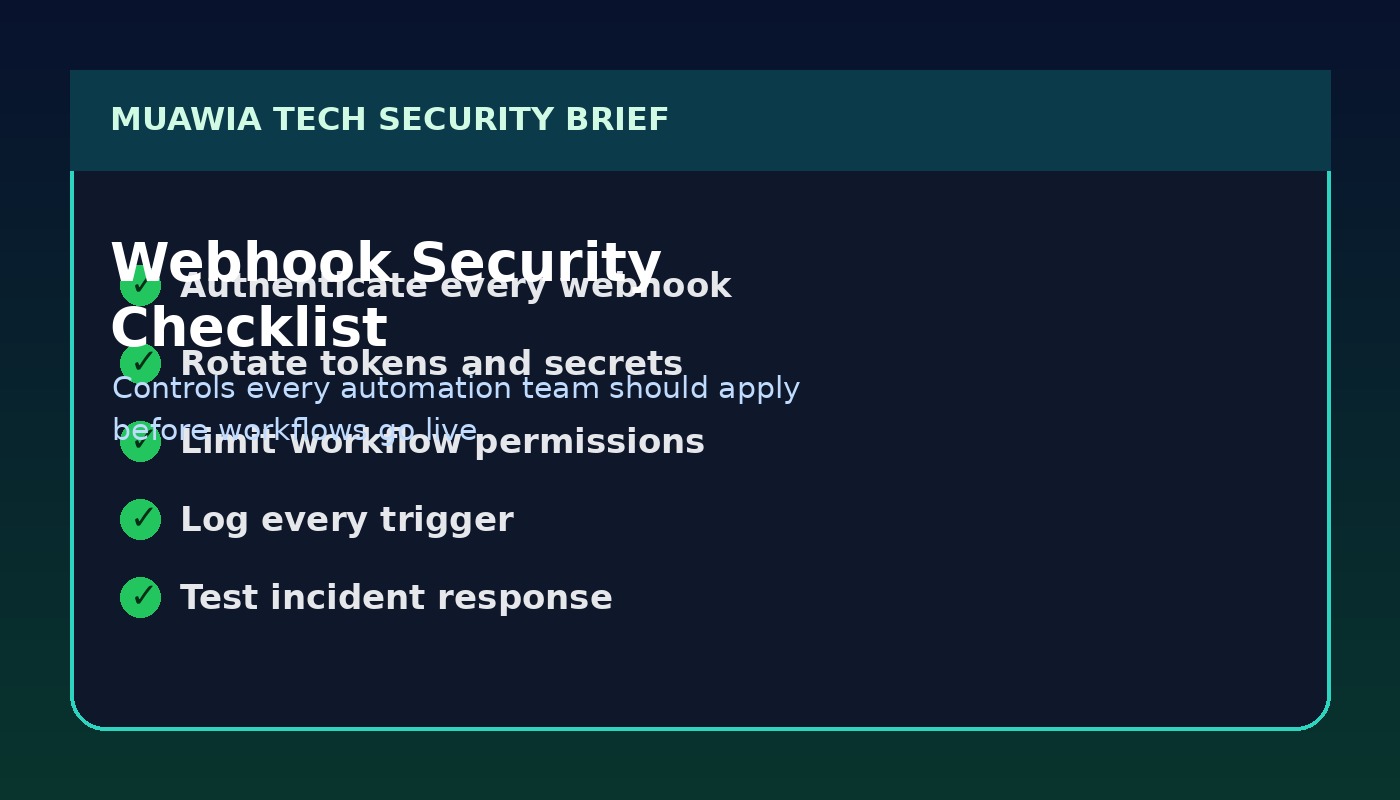
The strongest defense is to secure automation before it becomes mission critical. Start by inventorying all workflows that expose webhooks or send outbound messages. Then classify each workflow by data sensitivity and business impact. A webhook that posts a public status update is not the same as a workflow that can email customers, modify CRM records, or access invoices.
1. Authenticate Webhook Requests
Do not rely on secrecy of the webhook URL alone. Use shared secrets, HMAC signatures, API keys, signed payloads, or an authentication proxy where possible. If the sender is a known service, validate its signature rather than accepting any request that reaches the endpoint.
2. Validate and Sanitize Inputs
Every field that enters a workflow should be treated as untrusted. Validate expected formats, limit payload size, reject unexpected parameters, and avoid placing raw user input directly into emails, HTML, documents, or command-like actions. This reduces phishing, injection, and data-quality risks.
3. Apply Least Privilege to Workflow Credentials
Automation credentials should only have the permissions they need. A workflow that sends a notification does not need full admin access to email, cloud storage, or CRM systems. Create dedicated service accounts, avoid shared human accounts, and review scopes every quarter.
4. Protect the Automation Dashboard
Use multi-factor authentication, strong passwords, single sign-on where available, and role-based access control. Limit who can edit production workflows. If your platform supports environments, separate development from production so experiments do not accidentally affect real customers.
5. Monitor Trigger Volume and Outbound Messages
Set alerts for unusual webhook activity, repeated failures, high email volume, new destination domains, and workflow edits outside normal hours. Logs should show who changed a workflow, when it changed, what credentials were used, and which external calls were made.
6. Add Human Approval for Sensitive Actions
Not every workflow should run end-to-end without review. Payment changes, password resets, customer-wide emails, invoice updates, and external file sharing may need approval steps. Automation should reduce repetitive work, not remove judgment from high-risk decisions.
Safe Digital Habits for Teams Using Low-Code Automation
Technical controls work best when paired with simple habits. Give every workflow a clear owner. Document what it does, what systems it touches, and what “normal” activity looks like. Review workflows after staff changes, vendor changes, or major business process updates. Remove old test workflows instead of leaving them connected to real credentials.
Train employees to question urgent requests even when they appear to come from internal systems. A workflow-generated message can still be malicious if the workflow was abused. Encourage staff to verify payment changes, login prompts, shared documents, and credential requests through a second channel.
For more practical security guidance, Muawia Tech readers can also explore the Security category, broader IT topics, and updates on Artificial Intelligence where automation and AI risks often overlap.
Incident Response: What To Do If a Workflow Is Abused
If you suspect automation abuse, disable the affected workflow or webhook first. Preserve logs before making major changes. Rotate tokens, API keys, and passwords used by the workflow. Review recent edits, outbound messages, connected credentials, and external HTTP requests. Search for similar workflows that share the same pattern or credential.
Next, identify who received suspicious messages and what data may have been exposed. Notify affected users with clear instructions: do not click previous links, reset passwords if credentials were entered, and report any unusual account activity. If customer data or regulated information was involved, follow your legal and compliance process.
After containment, rebuild the workflow with stronger controls. Add authentication to the webhook, reduce permissions, improve logging, and require approval for sensitive actions. The goal is not only to recover from one incident but to make the next abuse attempt easier to detect and harder to execute.
FAQ
Is n8n unsafe to use?
No. n8n and similar automation tools can be safe and valuable when configured properly. The risk comes from exposed webhooks, weak credentials, excessive permissions, poor monitoring, and workflows that send messages without validation.
What is the most important webhook security step?
Authentication is the first priority. A webhook URL should not be treated as a password. Use signed requests, shared secrets, API keys, or a protected gateway so random internet traffic cannot trigger sensitive workflows.
Can automation tools really send phishing messages?
Yes, if they are connected to email, SMS, chat, ticketing, or document systems and an attacker can trigger or modify the workflow. The message may look trustworthy because it comes through a legitimate business integration.
How often should workflows be reviewed?
Review critical workflows at least quarterly and whenever employees, vendors, credentials, or connected systems change. High-risk workflows that handle payments, customer data, or mass messaging should be monitored continuously.
Conclusion
Automation is becoming a normal part of business technology, but every new workflow is also a new security responsibility. Phishing via automation tools shows why teams must secure webhooks, protect workflow editors, limit credentials, and monitor outbound messages. The practical lesson is simple: build automation like production infrastructure. When workflows are authenticated, documented, logged, and reviewed, businesses can keep the speed benefits of automation without giving attackers an easy phishing engine.
Related update: GitHub Copilot Workspace Enters Public Beta.