
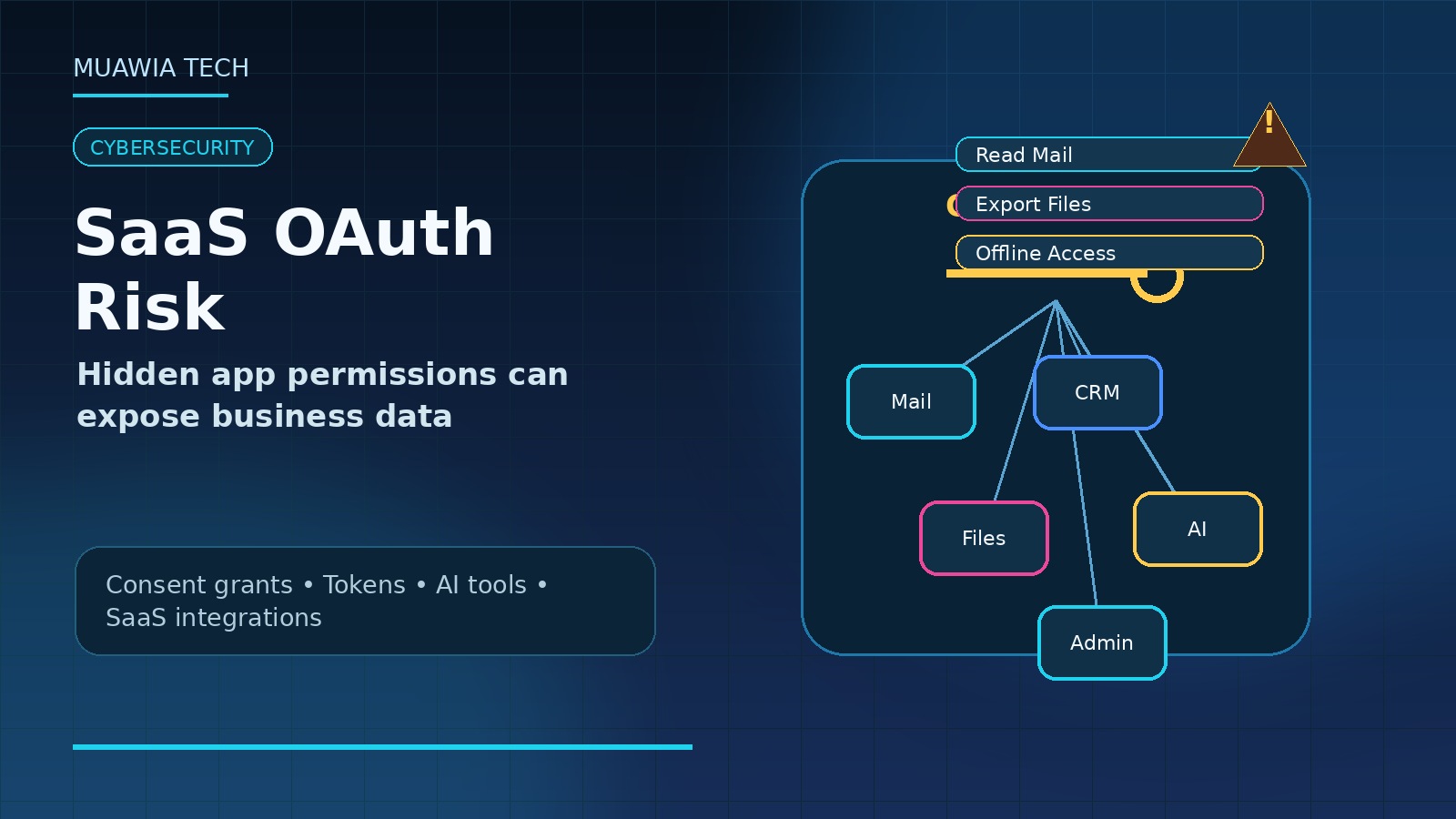
SaaS OAuth app permissions have become one of the most overlooked security risks in modern businesses. Employees connect productivity add-ons, AI assistants, reporting tools, browser extensions, automation platforms, calendar utilities, CRM plugins, and file-sharing integrations every week. Many of those connections are useful. Some are essential. But each one can also create a durable trust relationship between a third-party application and sensitive company data.
The risk is timely because SaaS security coverage in 2026 keeps pointing to OAuth grants, cross-app permissions, AI agents, and integrations as a growing blind spot. The Hacker News recently described “toxic combinations” where AI agents, integrations, or OAuth grants bridge SaaS apps into trust relationships no single admin intended. Security vendors are also warning that OAuth-based access can give attackers persistent, legitimate-looking access without stealing a traditional password. For Muawia Tech readers, the practical takeaway is clear: identity security is no longer only about users and passwords. It also includes every app, token, connector, and consent grant attached to business systems.
Why OAuth permissions matter
OAuth is designed to let one application access another service without asking users to hand over their password. That is a good design. A project-management tool can read calendar availability. A reporting app can pull CRM data. A document workflow can request access to cloud storage. The problem starts when organizations lose track of what was approved, who approved it, how much access was granted, and whether the third-party application still deserves that access.
Unlike a normal login session, an OAuth grant may survive long after the user has forgotten the app. In some environments, it may continue until revoked, even if the employee rarely uses the tool. If the connected app is compromised, sold, abandoned, overprivileged, or malicious from the beginning, it can become a quiet path into mailboxes, files, contacts, calendars, support tickets, source-code repositories, or customer records.
The hidden risk: app-to-app trust
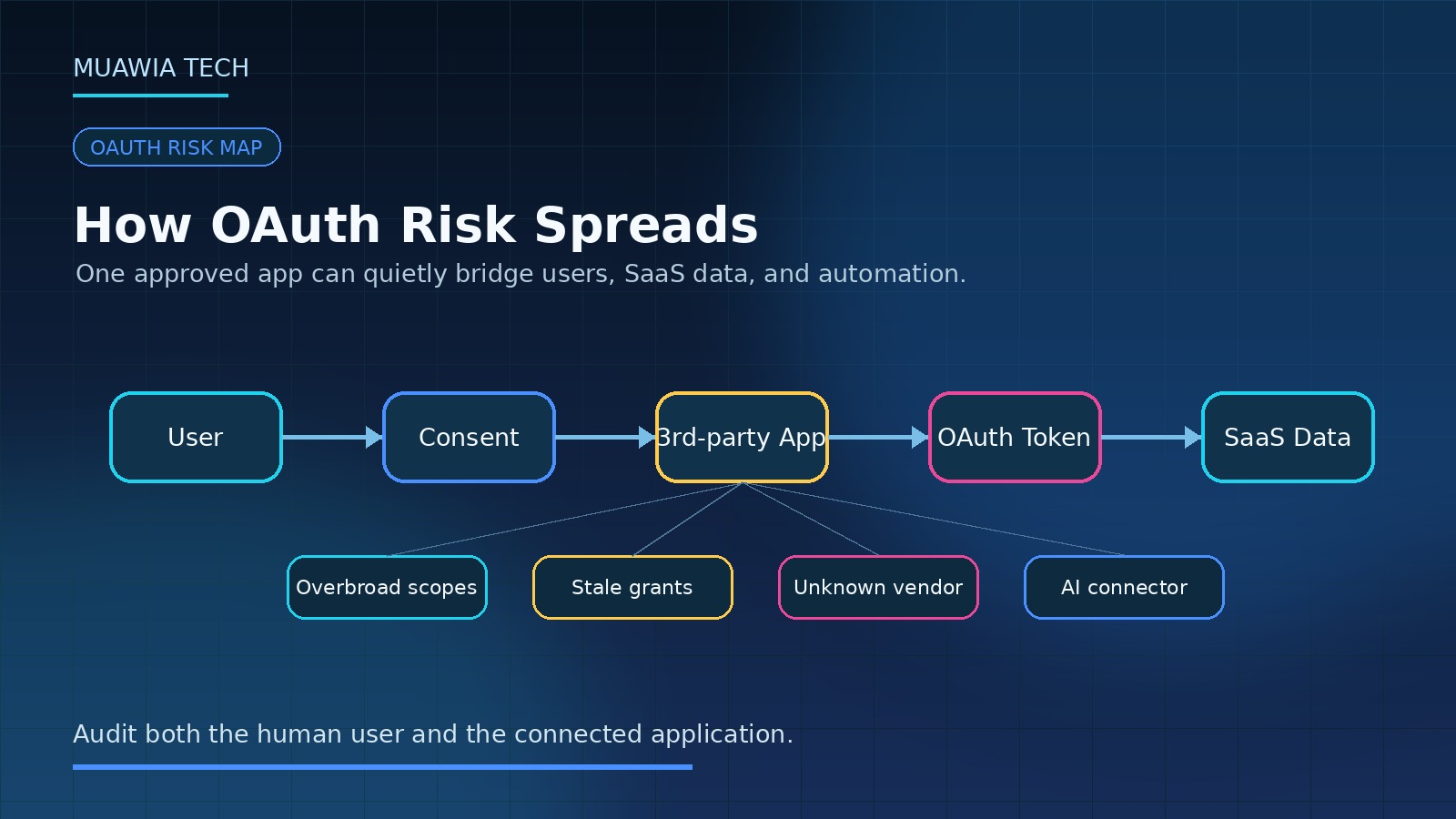
Most security programs are built around human users. They review employee accounts, enforce multi-factor authentication, watch privileged administrators, and disable access when someone leaves. That work remains important, but SaaS environments now contain a second layer of access: app-to-app trust. A user may be well protected, but an approved integration may still be able to read data, write data, or act in that user’s context.
This is especially sensitive when permissions stack. One application might read email. Another might export files. A workflow tool might connect both to a spreadsheet. An AI assistant might summarize content from multiple systems. Individually, each grant can look harmless. Together, they can create a route for sensitive information to move across systems with limited visibility.
Common permission problems
Overbroad scopes
Many apps request more access than they need because broad permissions simplify development and support. A tool that only needs to create calendar events may request full calendar read/write access. A dashboard that needs one folder may request access to all files. Businesses should challenge broad scopes and prefer least-privilege integrations when available.
User consent without review
If any employee can approve any third-party app, the organization effectively delegates security decisions to busy users. Employees may click “Allow” because they want the tool to work, not because they understand the data exposure. User consent should be restricted or reviewed for sensitive scopes.
Stale and abandoned integrations
Old tools are dangerous because they are easy to forget. A marketing trial, a spreadsheet add-on, or a one-time migration tool may retain access long after the business value is gone. Regular revocation is as important as initial approval.
AI and automation connectors
AI assistants and automation platforms increase the stakes because they often connect to multiple systems at once. A tool that reads email, files, CRM notes, and support tickets can be useful, but it also becomes a concentrated data access point.
What attackers want
Attackers like OAuth abuse because it can look legitimate. Instead of stealing a password and triggering a suspicious login, they may trick a user into consenting to a malicious app. Once approved, the app can use granted permissions through normal APIs. Depending on the scope, it may read mail, search files, create forwarding rules, exfiltrate contacts, or maintain access even after a password reset.
That means password resets and MFA prompts may not fully solve the problem. If the malicious grant remains active, access can continue. Incident response playbooks must include OAuth app review and token revocation, not just account password changes.
How to audit SaaS OAuth app permissions
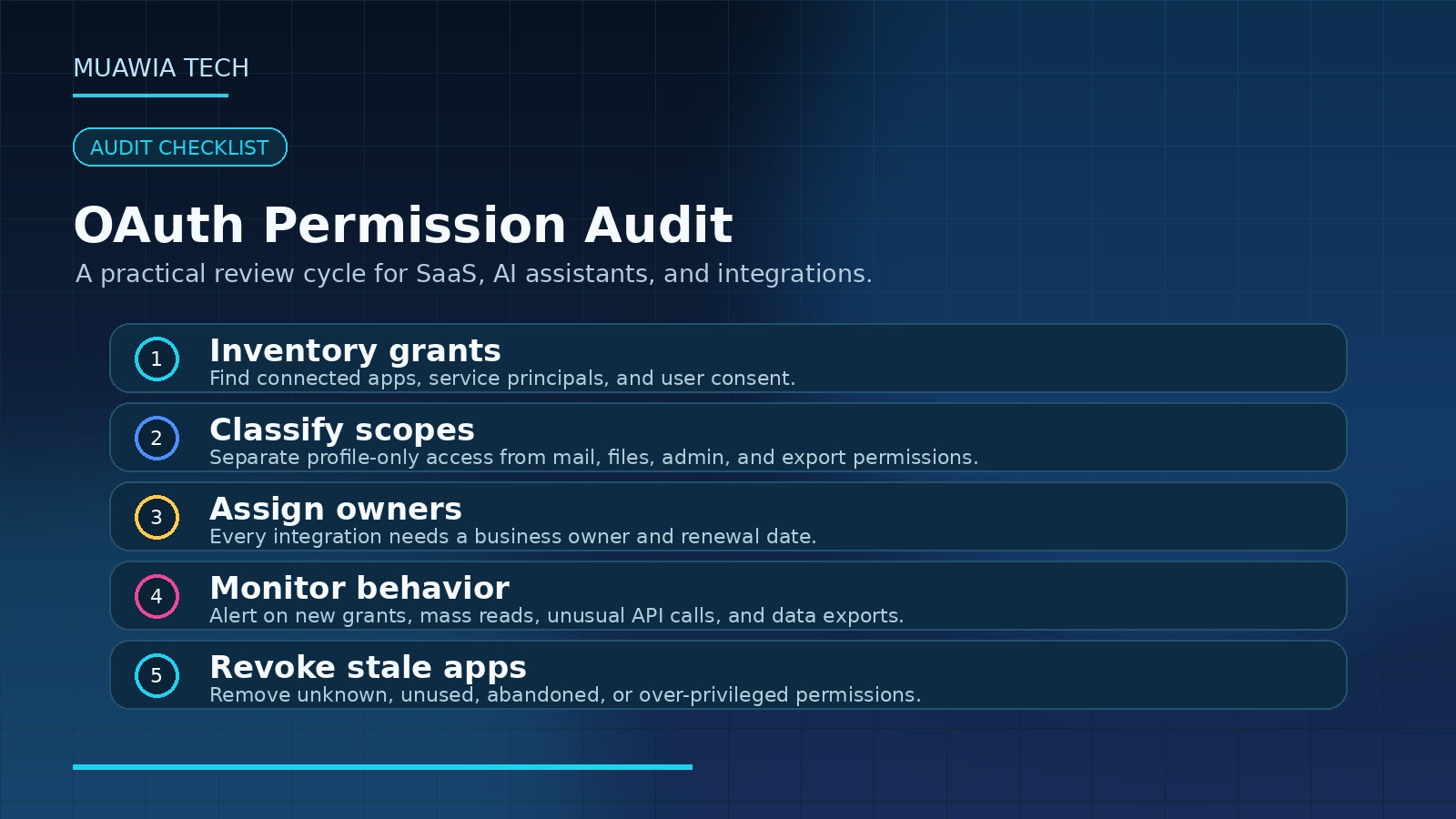
Start with the systems that hold the most sensitive data: Microsoft 365, Google Workspace, CRM, help desk, accounting, cloud storage, identity provider, source-code hosting, and major collaboration platforms. Export or review the list of enterprise applications, third-party apps, user grants, service principals, API tokens, and connected apps. The names differ by platform, but the core question is the same: which applications can access company data, and with what permissions?
For each app, record the owner, business purpose, users, permission scopes, vendor, last-used date, data categories, approval status, and renewal date. Apps with no owner, no recent use, broad scopes, or unknown vendors should be revoked or moved into review.
Approval rules that work
A practical approval model does not need to block innovation. It should route risky requests to review while letting low-risk tools move quickly. Low-risk examples might include an app that reads only a user’s basic profile. High-risk examples include mailbox access, file read/write access, domain-wide delegation, admin consent, CRM export permissions, source-code repository access, or integrations that can send messages externally.
Security teams should create an approved catalog of common tools. This helps employees know what is safe to use and reduces shadow IT. When a new tool is requested, reviewers should examine vendor reputation, data handling, scope necessity, security documentation, and whether the same business need is already covered by an approved platform.
Monitoring and detection
OAuth governance is not a one-time cleanup. Businesses should monitor new app grants, high-risk scopes, unusual API activity, mass file reads, mailbox access from unfamiliar apps, sudden increases in data export, and grants created shortly before suspicious activity. Alerts should include both the user and the app because the app may be the real access path.
Logs are especially important during employee offboarding. Removing a user account may revoke many grants, but service accounts, shared mailboxes, delegated access, and admin-approved apps need separate review. Mergers, department changes, vendor changes, and tool migrations should also trigger access cleanup.
Practical checklist for businesses
- Inventory third-party SaaS apps and OAuth grants across major platforms.
- Disable broad user consent for high-risk permissions.
- Require admin approval for mailbox, file, CRM, identity, and source-code access.
- Assign an internal owner and renewal date to every approved integration.
- Revoke stale apps that have no recent use or business justification.
- Monitor new grants, risky scopes, and unusual API activity.
- Include OAuth token revocation in incident response playbooks.
- Review AI assistants and automation platforms with extra care because they often bridge multiple apps.
How this fits zero trust
Zero trust is often explained as “never trust, always verify.” In SaaS environments, that principle must apply to applications as well as users. A trusted employee can accidentally approve an untrusted app. A legitimate app can request excessive permissions. A once-approved vendor can change hands or suffer a breach. Continuous verification means checking the user, the device, the app, the permission, the data, and the behavior.
This topic connects directly with broader Muawia Tech security coverage, including identity security, phishing resistance, and cloud governance. Businesses that recently improved passwords or passkeys should treat OAuth permissions as the next layer of identity risk.
Small-business guidance
Small businesses may not have a dedicated SaaS security platform, but they can still reduce risk. Begin by reviewing connected apps in the admin console for email, cloud storage, and CRM. Remove unknown apps. Turn off risky user-consent settings where possible. Keep a simple spreadsheet of approved tools and owners. Train employees to request approval before connecting business accounts to new AI assistants, extensions, or automation tools.
FAQ
What are SaaS OAuth app permissions?
They are permissions that allow a third-party application to access data or perform actions in a SaaS platform such as email, cloud storage, CRM, calendar, or collaboration tools.
Why are OAuth grants risky?
They can persist after initial approval, may provide broad access, and can be abused if the connected app is malicious, compromised, abandoned, or overprivileged.
Does multi-factor authentication stop OAuth abuse?
MFA helps protect user login, but it may not remove an already-approved malicious or risky app grant. Token and app revocation are still necessary.
How often should businesses review connected apps?
High-risk environments should review continuously or monthly. Smaller teams should perform at least a quarterly review and revoke unused tools immediately.
Are AI tools a special concern?
Yes. AI tools and automation platforms may connect to multiple systems and process sensitive data, making permission review and data-use policy especially important.
Conclusion
SaaS OAuth app permissions are now a core part of enterprise security. They determine which third-party tools can reach business data, how long that access lasts, and whether app-to-app trust can bypass normal user-focused controls. The safest approach is not to ban every integration. It is to inventory, approve, monitor, and revoke access with the same discipline used for employees and administrators. In 2026, businesses that govern OAuth permissions will be better prepared for SaaS risk, AI adoption, and the next wave of identity-based attacks.
Related update: Try to Get Reflection.
Current Research Signals
Recent external coverage shows continued market attention around this topic:
- The hidden risks of SaaS in 2026 | BetterCloud
- OAuth Risk Explained: Hidden Threats in SaaS
- API Security Risks for SaaS Platforms in 2026
Last Updated: 2026-07-08
Related Guides
- Zero Trust Security Guide for Enterprise AI, SaaS, and Cloud Workflows
- Security Risk Assessment: A Practical Guide for 2026
- PCI Compliance for Businesses: Simple Security Controls for Payments, SaaS, and Cloud Data
- Agentic AI Attack Surface: Enterprise Security Controls for 2026
- Windows Security Update Checklist for Small Businesses: Patch Timing, Rollback Plans, and Exploit Risk