
Passkeys for business security are becoming more than a convenience feature. They are now one of the most practical ways for organizations to reduce account-takeover risk, limit phishing damage, and improve the login experience for employees. Passwords are still everywhere, but they are also one of the weakest parts of the modern digital workplace. Staff reuse them, attackers steal them, fake login pages capture them, and help desks spend valuable time resetting them.
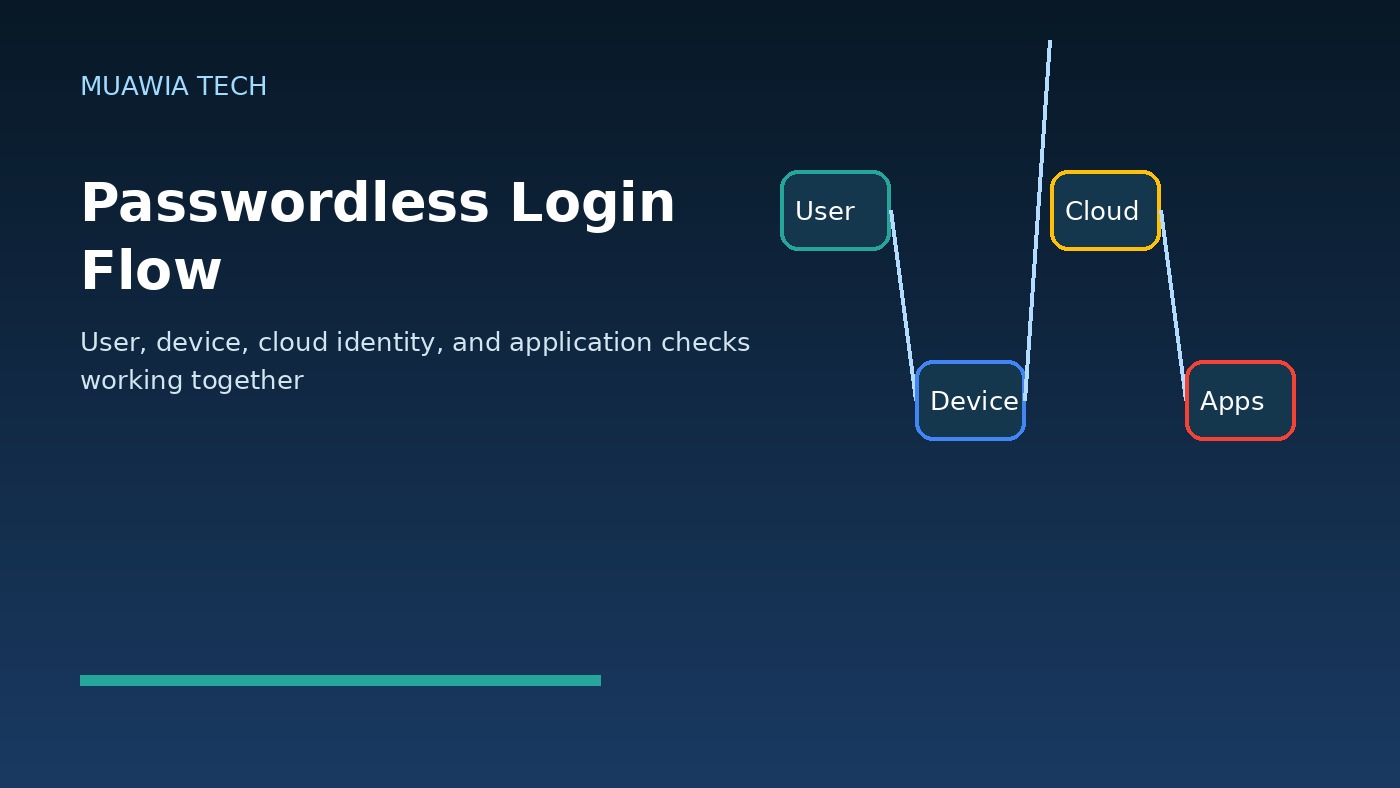
The reason passkeys matter is simple: they change the security model. Instead of asking a user to type a shared secret into a website, a passkey uses public-key cryptography tied to a trusted device or security key. The service stores a public key, while the private key remains on the user’s device. During login, the device proves possession of the private key. The secret is not typed, not sent to the website, and not available for a phishing page to collect.
For Muawia Tech readers, the practical question is not whether passwords will disappear overnight. They will not. The better question is where passkeys can remove the highest-risk password use first: administrator accounts, email, cloud dashboards, finance systems, remote-access portals, password managers, and customer-facing applications. A careful rollout can improve security without frustrating users or locking teams out of critical tools.
Why passkeys are different from ordinary passwords
A password is a shared secret. The user knows it, the service checks it, and attackers try to steal it. Even when passwords are hashed on the server, users still type them into login forms. That creates many attack opportunities: phishing pages, malware, browser-in-the-middle attacks, reused credentials from breaches, and social engineering against support teams.
A passkey is not typed into the website. It is created for a specific domain and verified through a device authenticator, platform authenticator, or external security key. When a user signs in, the device signs a challenge for the legitimate website. A fake domain cannot normally reuse that response because the credential is bound to the real service. This is why passkeys are often described as phishing resistant.
The business case: fewer takeovers and less login friction
For many companies, the strongest business argument is not only technical security. It is operational reliability. Password resets, suspicious-login investigations, and compromised inbox cleanups consume real time. If a passkey program reduces even a small number of account takeovers, the savings can be significant. It also helps employees because they can authenticate with a device unlock method such as biometrics, a PIN, or a hardware key rather than remembering another complex password.
Passkeys also support the direction many cloud platforms are already taking. Identity providers, productivity suites, developer platforms, and SaaS tools increasingly support FIDO2, WebAuthn, and passkey-style authentication. That means businesses do not need to build everything themselves. They can often begin inside existing identity platforms and high-value applications.
Where passkeys should be adopted first
The best first step is not a company-wide mandate. Start with risk. Which accounts would create the most damage if stolen? Which applications contain sensitive customer data, financial information, or administrative controls? Which user groups are frequent phishing targets? A good initial scope often includes executives, finance teams, IT administrators, cloud administrators, developers with production access, and users with access to sensitive client records.
Businesses should also review privileged accounts. Admin consoles for cloud services, hosting panels, domain registrars, email administration, backup systems, and security tools deserve stronger authentication before general user accounts. If an attacker compromises one of these accounts, they may disable logging, change DNS, create new users, steal backups, or pivot into other systems.
Passkeys do not replace security policy
Passkeys are powerful, but they are not a complete security program. A stolen, unlocked device can still be a risk. Weak device management can undermine strong authentication. Poor recovery procedures can let attackers bypass the intended protection. Businesses need supporting controls: device encryption, screen-lock enforcement, endpoint protection, conditional access, audit logging, and a clear offboarding process.
Recovery deserves special attention. If an employee loses a phone, laptop, or security key, the organization needs a safe way to restore access. If recovery depends only on a help-desk phone call, social engineering may become the new weak point. Recovery should use verified identity checks, manager approval for high-risk roles, documented procedures, and additional monitoring after account recovery.
Cloud and SaaS considerations
Most businesses do not run one login system. They use email, file sharing, CRM, accounting tools, developer services, communication apps, and cloud platforms. A passkey rollout should therefore be planned through the central identity provider whenever possible. Single sign-on gives the organization a single place to enforce stronger authentication, review logs, and manage user lifecycle events.
When passkeys are enabled application by application without a central plan, administrators can lose visibility. Some apps may still allow passwords, SMS codes, or weak recovery methods. The goal is to reduce the number of bypass paths. Review each critical SaaS system for supported authentication methods, emergency access procedures, audit logs, and compatibility with your identity provider.
Related guidance on secure cloud operations is available in Muawia Tech’s Security coverage and Cloud section, where identity, backup, and infrastructure risks often overlap.
How to plan a safe passkey rollout
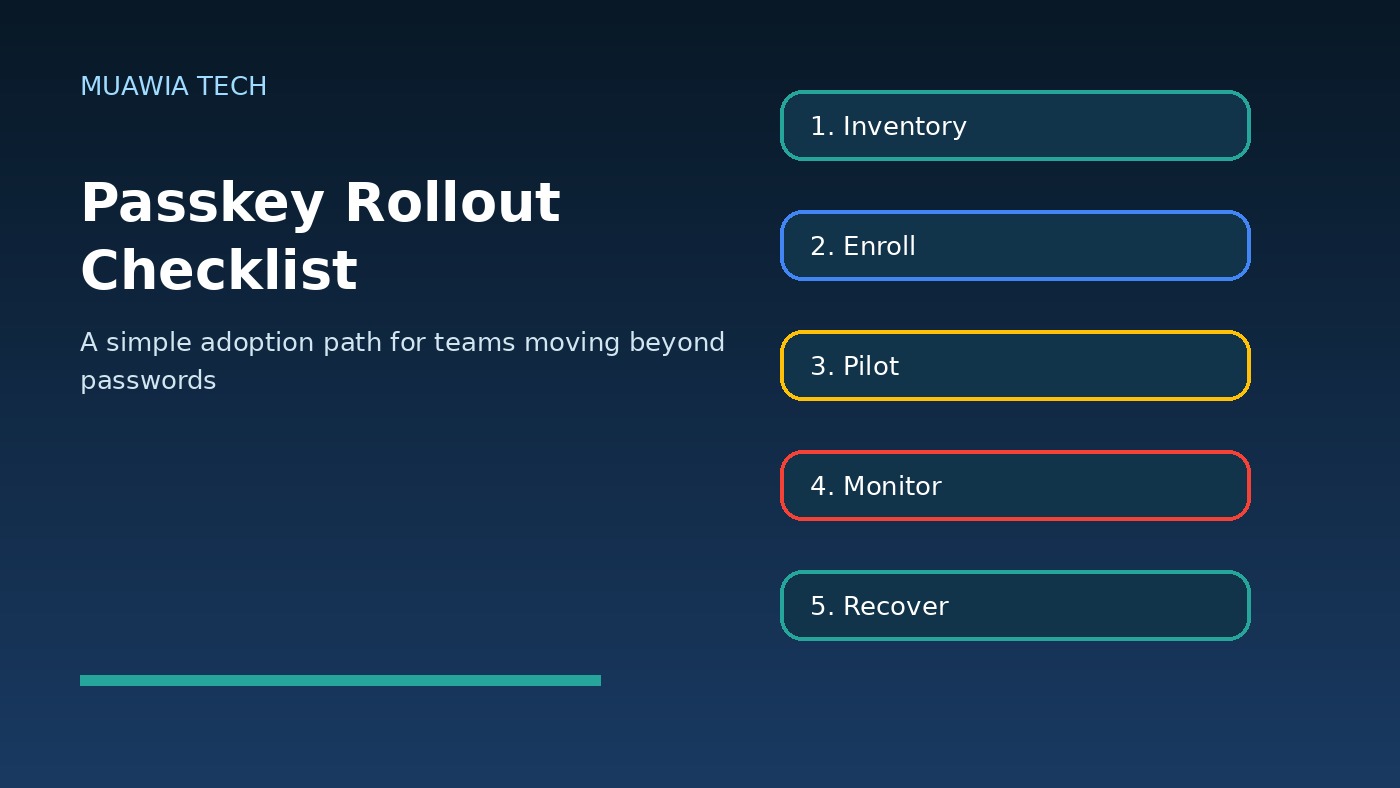
A practical rollout can follow a simple sequence. First, create an inventory of high-value applications and user groups. Second, confirm passkey support in the identity provider and the most important SaaS platforms. Third, pilot with a small group of technically comfortable users and administrators. Fourth, document enrollment, backup, recovery, and device-change procedures. Fifth, expand to additional teams while monitoring failed logins, support tickets, and suspicious account activity.
Do not ignore training. Employees need to understand what changes. They should know that legitimate passkey prompts are tied to real services, that they should not approve unexpected sign-in requests, and that device loss must be reported quickly. Simple screenshots and short internal videos can prevent confusion during the first weeks of adoption.
Common mistakes to avoid
Keeping weak fallback methods open
If passkeys are enabled but passwords, SMS codes, or insecure recovery questions remain available, attackers may target the fallback. Review fallback paths carefully. Some organizations keep temporary exceptions, but they should be time-limited, logged, and approved.
Rolling out without device standards
Passkeys rely on trusted devices or hardware keys. If employees use unmanaged or outdated devices, the organization may not get the full benefit. Minimum standards should include device encryption, current operating-system updates, screen locks, and remote-wipe capability where appropriate.
Ignoring administrators and service accounts
Human admin accounts should be protected early. Service accounts and automation tokens need a separate review. Do not assume passkeys solve API-token risk. Rotate old tokens, restrict scopes, and monitor automation activity.
SEO and customer-facing benefits
For companies that manage customer portals, passkeys can also improve user trust. Customers may appreciate a login process that is both easier and safer. However, customer-facing passkey adoption should be introduced carefully with clear communication, compatibility checks, and support for users who change devices. The experience must feel reliable, not experimental.
FAQ
Are passkeys the same as multi-factor authentication?
No. Passkeys are a phishing-resistant authentication method based on cryptographic keys. They can replace some password-plus-code flows, but organizations may still use conditional access, device checks, and additional verification for high-risk events.
Can attackers steal a passkey from a database breach?
The service stores a public key, not the private key needed to sign in. This makes database theft much less useful than password theft, although attackers may still target devices, sessions, recovery flows, or administrators.
Should small businesses use passkeys?
Yes, especially for email, financial systems, cloud dashboards, password managers, and admin accounts. Small businesses often have limited security staff, so reducing phishing risk at the login layer is valuable.
What happens if an employee loses a device?
The business should follow a documented recovery process that verifies identity, revokes lost-device access, enrolls a new authenticator, and monitors the account after recovery.
Conclusion
Passkeys for business security are a practical step toward safer digital habits. They reduce dependence on typed secrets, make phishing harder, and can improve the login experience for employees. The best approach is not a rushed passwordless mandate. It is a staged rollout focused on high-risk accounts, strong device standards, secure recovery, and central identity visibility. Businesses that start now can reduce account-takeover risk while building a more modern authentication foundation for cloud, SaaS, and remote work.
Related update: GitHub Copilot Workspace Enters Public Beta.